New in the latest version of Mogli!
To enhance clarity and consistency across the Mogli platform, the labels for our core communication objects within Related Lists have been updated.
You will now consistently see:
"Mogli Messages" instead of "SMS"
"Mogli Forms" instead of "Forms"
These updated labels will appear on all Mogli Integrated Objects where these related lists are displayed.
There are three main ways to view your message history
Conversation View
SMS-Related List
SMS Tab
Conversation View
This view displays all incoming and outgoing messages from the start of a conversation.
SMS-Related List
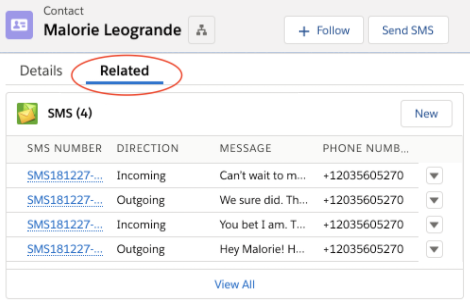
This view displays all incoming and outgoing messages between the user and the recipient associated with the record.
Access SMS history for a specific record:
Navigate to the record of a Mogli-configured object
Click on the Related tab to view the SMS-related list
SMS Tab
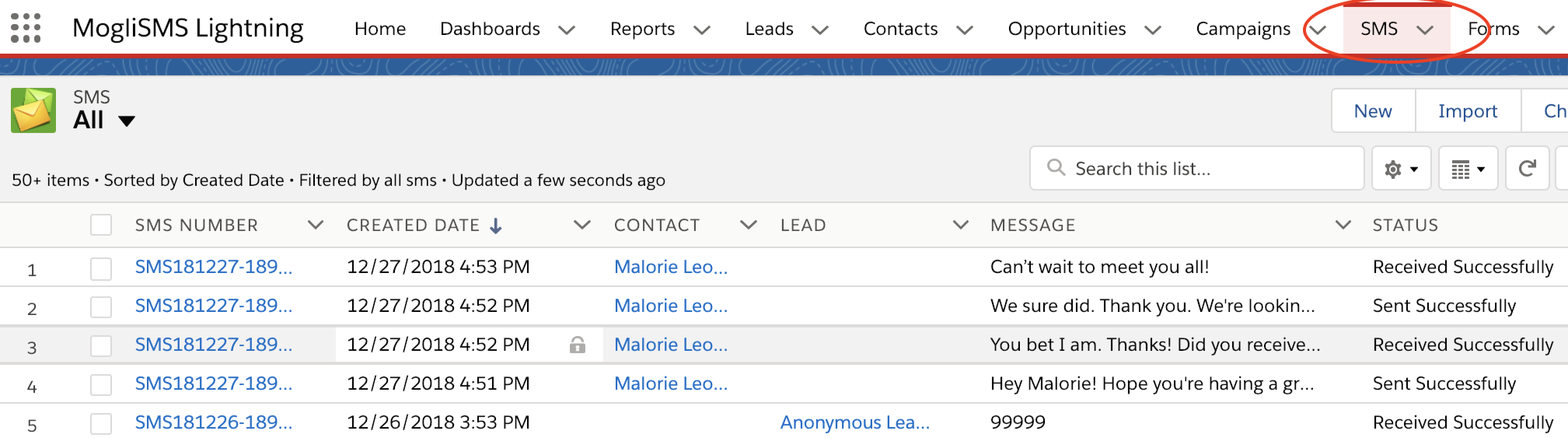
To view organization-wide SMS history
Go to the SMS tab
Use filters or sorting options to find specific messages