About 1:1 Conversations
The Conversation View lightning component may be configured on any Standard or Custom Object that has or can be configured to have a single recipient.
It’s used to conduct 1 to 1 conversations with the individual associated with the record.
Navigating 1:1 Conversations
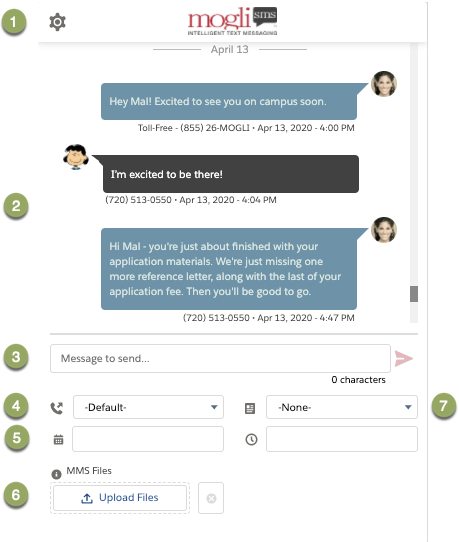
| Settings (menu) - allows users to filter the conversation by user and customize text and bubble colors. Conversation view (body) - displays the last 300 incoming and outgoing SMS and MMS. Message to send (field) - manually type a message and view your character count. Gateway (picklist) - choose the Gateway (outbound phone number) from which to send your message.
Optionally, upload a voice clip or send text to voice using a Mogli Voice gateway if your plan allows. Scheduler (date selector) - if not sending immediately, choose the date and time the message is to be delivered. MMS (file selector) - supported files include jpeg, gif, png, pdf, mp4 (PDF is dependant on recipient’s mobile device) SMS Template (picklist) - select a predefined message - or - trigger an outbound survey or automated conversation.
|
|---|