Mogli Numbers are populated by Workflow Rules installed with the package, or custom flows.
Depending on the number of records needing Mogli Numbers, your options for populating Mogli Numbers vary.
To populate Mogli Numbers for 50,000 or fewer records, use Salesforce’s Data Import Wizard and for more than 50,000 records, use Data Loader.
Data Import Wizard (50,000 or fewer records)
For Contacts and Leads
If you have Contacts and Lead records that need a Mogli Number populated, ensure that the Mobile field values are correct. Run separate reports on Contacts and Leads with their Case Safe IDs and use The Data Import Wizard to update the records.
Run a report of all Contact and Lead IDs (no other fields are required)
Export the report to CSV
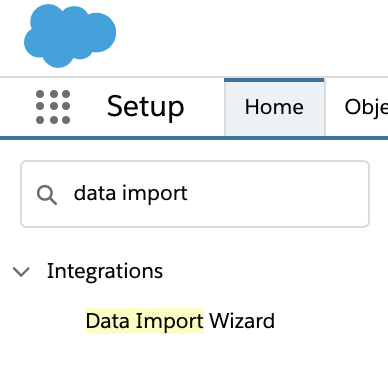
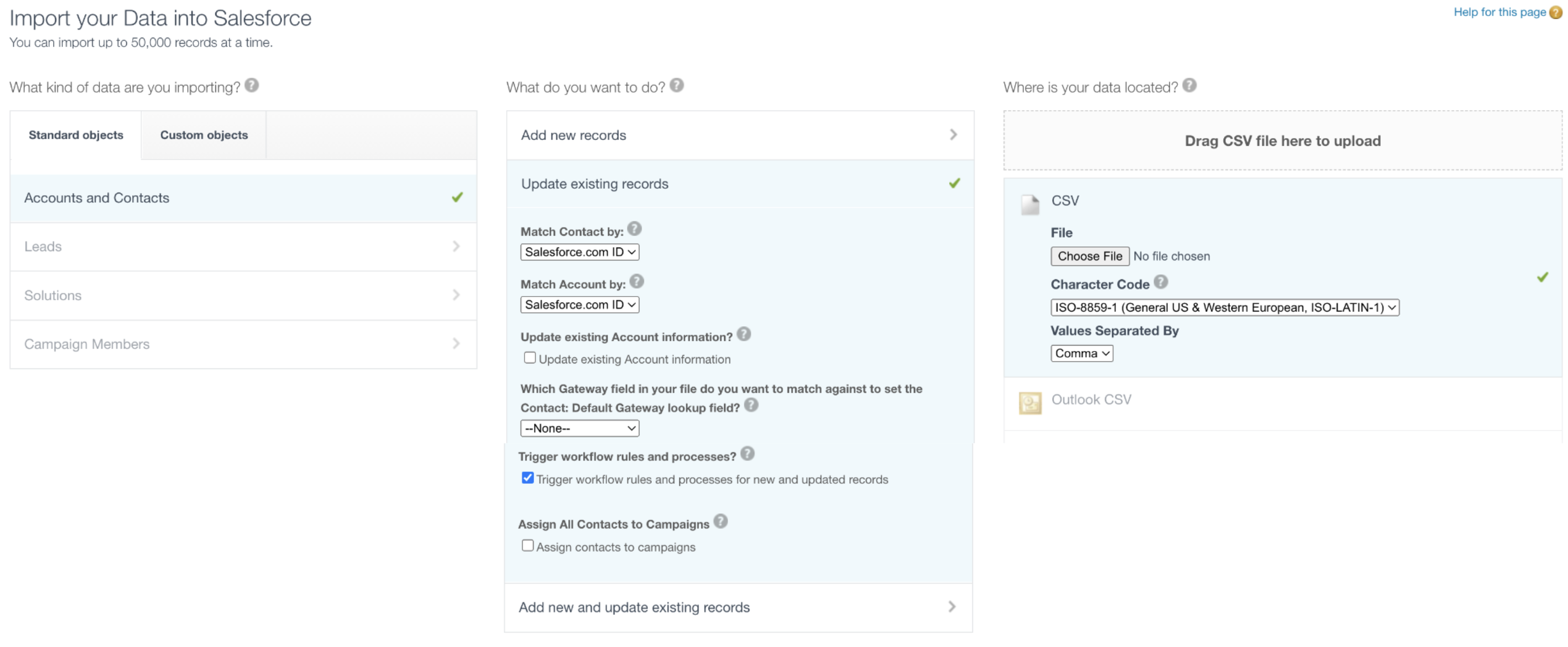
Use the Data Import Wizard
Be sure to check the “Trigger workflow rules and processes?” checkbox.
This will ensure that the workflow that auto populates the Mogli number will run.
For Other Records
Depending on how your AE configured Mogli, the Mogli Numbers may be populated using a formula field.
Contact your AE for more information.
Data Loader (more than 50,000 records)
For Contacts and Leads
Run reports on Contacts and Leads with Case Safe IDs and use
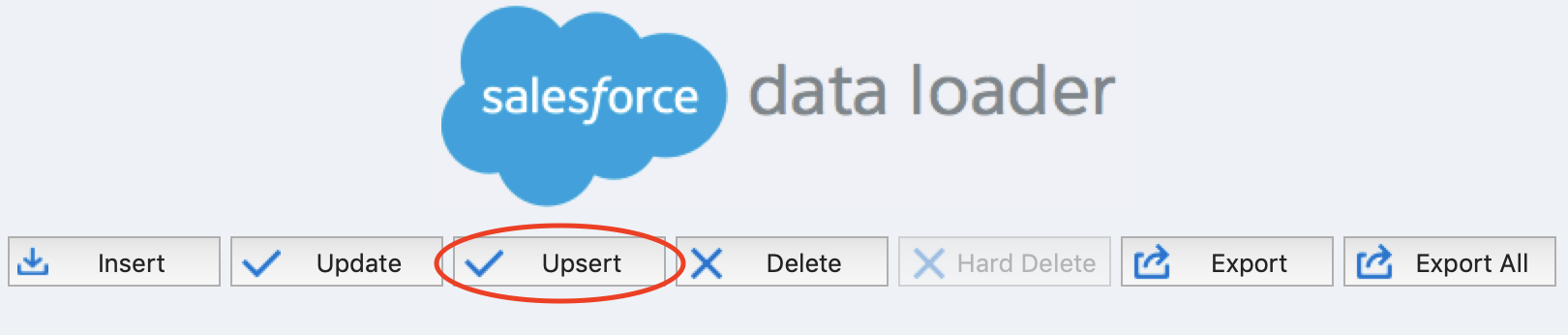
Data Loader to perform a mass Edit/Save (Upsert) to trigger the Mogli Number workflow.
Run a report of all Contact and Lead IDs (no other fields are required)
Export the report to CSV
Use Data Loader to upsert by matching the Case Safe IDs to the ID field of the Contact or Lead (this will not edit the record, but it will trigger the Mogli Number workflow to run)
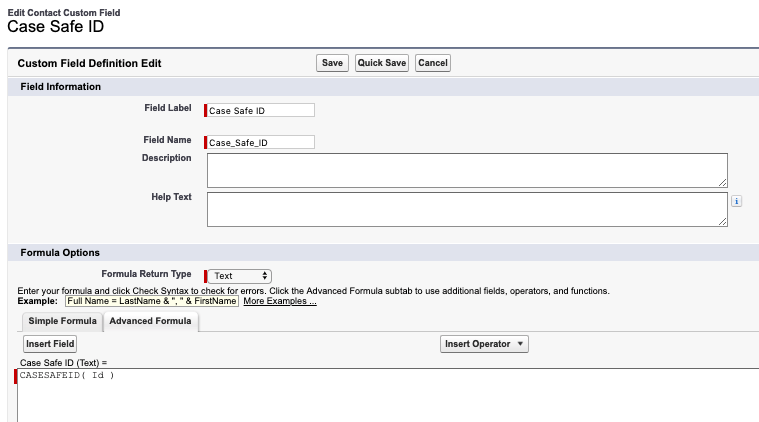
Need a Case Safe ID field? Create a custom formula field (type: Text) named Case Safe ID on Contact and Lead.
Populate the field as follows:
For Other Records
Depending on how your AE configured Mogli, the Mogli Numbers may be populated using a formula field. Contact your AE for more information.
Sending Texts Internationally
You’re going to need a custom Mogli Number flow that uses a formula to insert the proper country code based on the location of your recipient. This will include a custom formula field to determine the country code based on a selected country on the record. International texting is available on Elite and Enterprise plans only. For more information on our WhatsApp functionality, see our WHATSAPP section.